ENGINEERING PROOF
The implementation signals at a glance.
Multiple content signals support direct concept lookup instead of heading-only matching.
Local storage preserves reading progress and theme choice without requiring an account.
Search shortcuts, predictable Escape behavior, meaningful labels, and reduced-motion support.
Navigation, progressive disclosure, glossary access, and active location cues reduce content density.
60-SECOND WALKTHROUGH
Use it as a course or a reference.
- Choose a pathStart with the guided sequence or jump directly to the concept you need.
- Search preciselyMatch titles, keywords, and visible content; use the keyboard shortcut for faster access.
- Explore in layersNavigate sections, expand explanations, copy useful examples, and consult the glossary.
- Return without restartingReading progress and theme preferences remain available across visits.
THE PROBLEM
Dense technical content is difficult to enter and difficult to revisit.
AI concepts are often presented either as long, linear documentation or as disconnected definitions. New learners need a clear path through the material, while returning users need a fast way to find one specific idea.
THE SOLUTION
One interface for learning and reference.
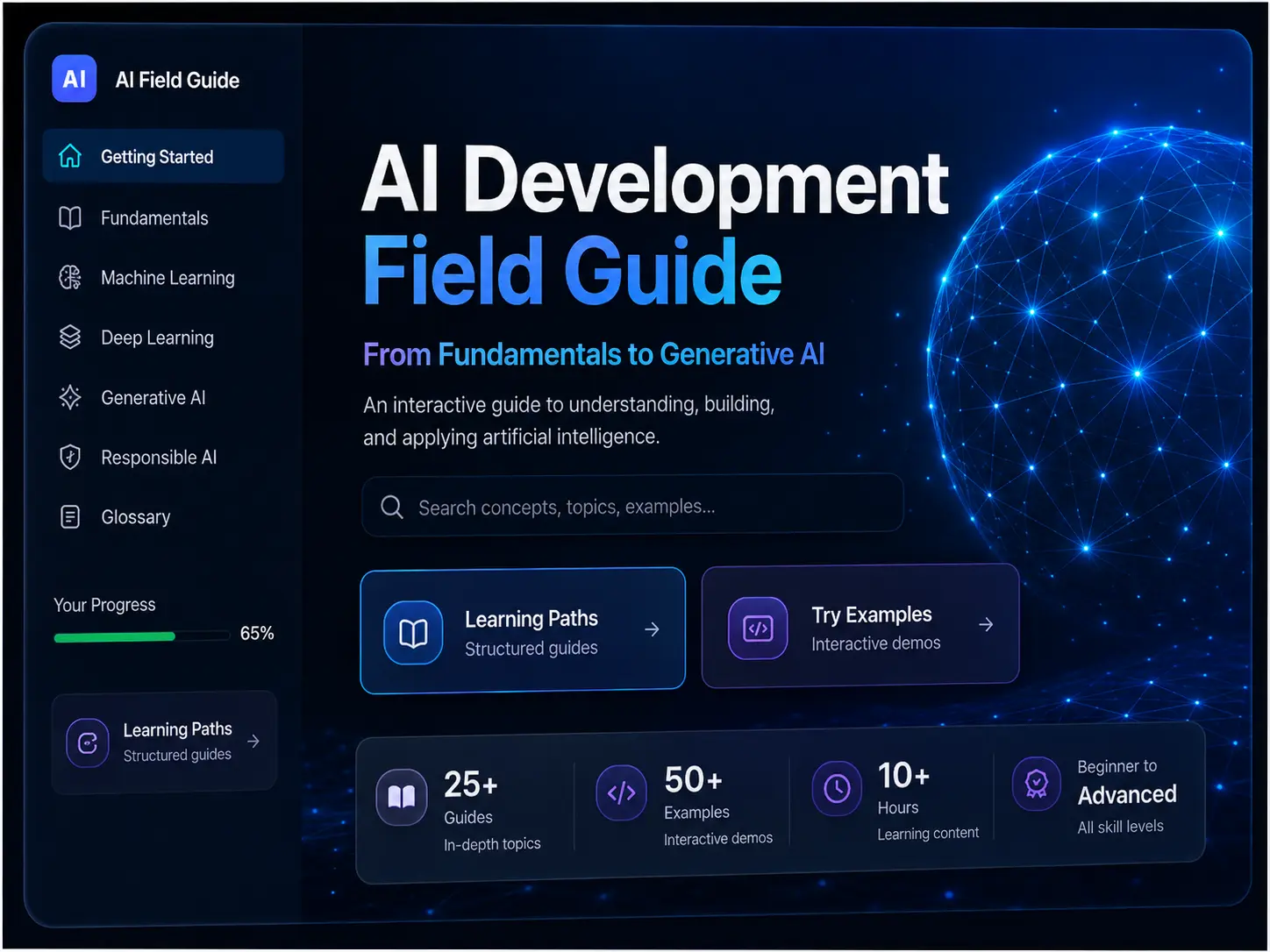
I designed the Field Guide to support two valid modes: follow a guided sequence from foundations through evaluation and responsible use, or search and jump directly to the needed concept.
- Search across titles, keywords, and visible content.
- Active navigation that reflects the reader’s location.
- Expandable sections for layered explanations.
- Copy controls for useful examples.
- Glossary, reading progress, and persistent theme preference.
- Responsive navigation for smaller screens.
MY ROLE
Content architecture, interface design, and implementation.
I planned the information hierarchy, wrote and organized the technical content, designed the responsive interface, and implemented the application behavior in JavaScript. The project brings educational judgment and frontend engineering into the same product.
ENGINEERING HIGHLIGHTS
Interaction patterns that make documentation usable.
Search behavior
The search experience indexes multiple content signals rather than matching headings alone. A forward-slash keyboard shortcut moves focus into search, while Escape provides a predictable exit behavior.
Persistent state
Local storage preserves reading progress and theme preference so the interface respects the user’s choices across visits without requiring an account.
Responsive and accessible controls
The navigation adapts for smaller screens, controls have keyboard behavior and meaningful labels, and reduced-motion preferences are respected.
ARCHITECTURE
Content behaves like an application.
A single content experience supports both sequential learning and quick reference without requiring an account or server-side data.
TECHNICAL DECISION
Support guided and nonlinear use.
I did not force every user through the content in the same order. The architecture combines a clear learning sequence with search, section navigation, glossary access, and visible progress.
That decision makes the same application useful to a beginner learning a concept for the first time and to a developer returning for a precise reminder.
DESIGN CHALLENGE
Keep a long reference from feeling like one long page.
The primary challenge was managing density without hiding useful detail. I used content grouping, progressive disclosure, active navigation, search, consistent visual hierarchy, and responsive controls to make a large body of content feel navigable.
RESULT
Technical documentation that behaves like a product.
The result is more than a static article. It is a deployed learning and reference application with search, persistent preferences, keyboard interaction, responsive navigation, and accessibility-conscious behavior.
NEXT ITERATION
What I would build next.
- Modularize the JavaScript into smaller application modules.
- Add automated tests for search, navigation, and persistence.
- Support saved highlights and personal notes.
- Move repeated interface patterns into a component architecture.